HOW TO SETUP IPTV ON SMART TVS WITH IPTV SMARTERS PRO APP
Installation time: 6 minutes
Step 1: Open the app and choose your upload type
After opening the app, you will see a screen with various options to get the app working with our service. We recommend using xtream codes api. M3u or the m3u file can be uploaded via the Load playlist or File/url.
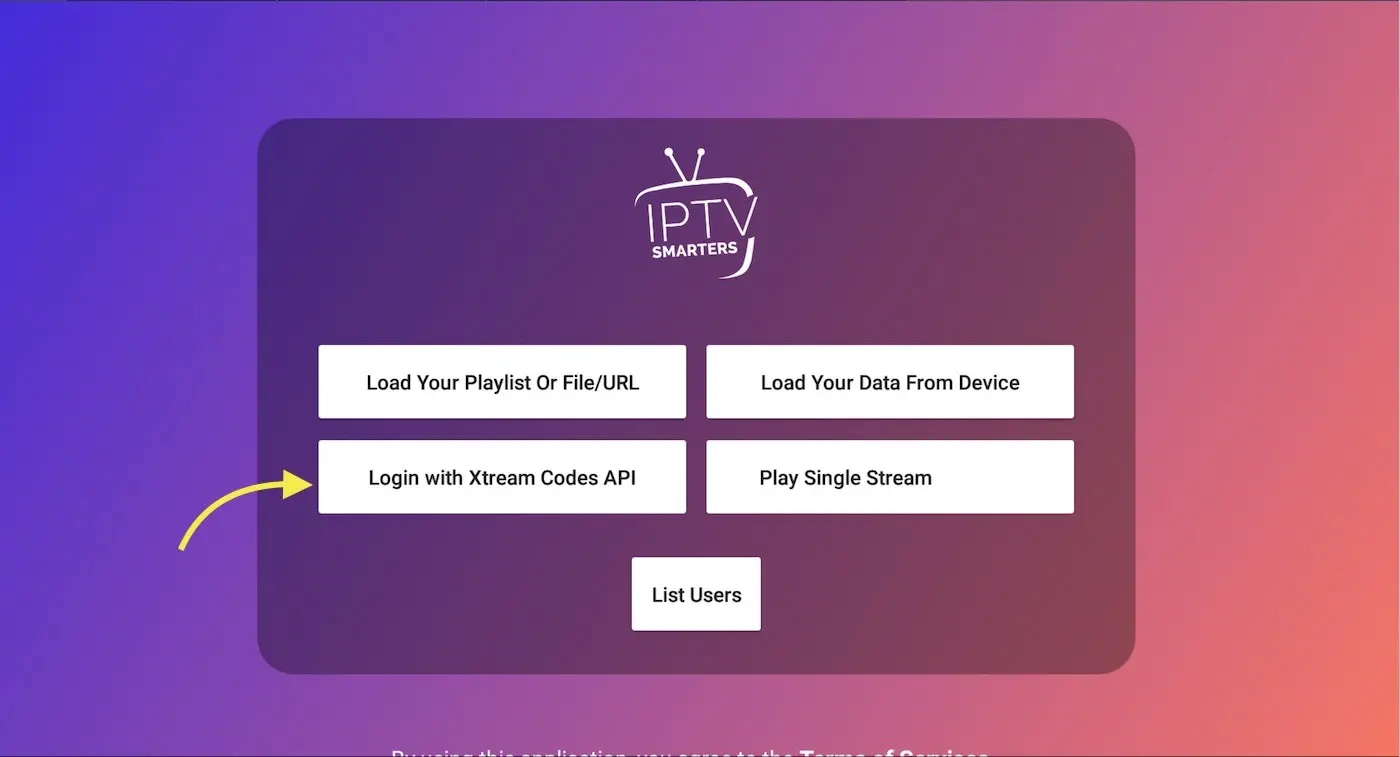
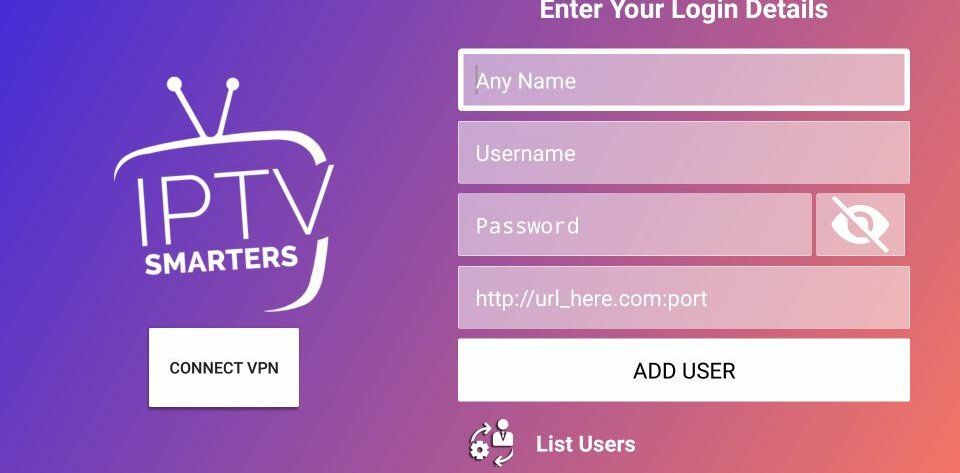
Step 2: Log in with xtreamcodes in the app
example :
- Any name/Playlist Name: 16K Castfinity TV
- Username: Sxqfq7892
- Password: XqsR4560F
- Url: http://ghost.nomorecable.me:8000
- Then press ADD USER
Step 3: Logged in and updated channel list
If all steps have been completed correctly, you will arrive at the initial overview such as the photo below.
– Live TV; All channels are listed here in ‘folders’, the live offering can be viewed here
-Movies; You can find all the films we upload here
– Series; Here are all the series that we upload
– Install epg; An external EPG can be uploaded here.
– Multi screen; This allows multiple screens to be viewed simultaneously ( NOTE: If you use 1 connection, this service cannot be used. This service is possible with multiple connections!)
– Catch up/ Channel Recording; We have 7 days to look back in our look back folder. You can find all the content directly via this button.

Still can’t figure it out? Please contact us by email : support@klaartv.pro, and/or WhatsApp .
